For modern digital creators, the smartphone is no longer just a communication tool, it is an entire production studio. Recognising that creators spend hours capturing, editing, and optimizing content, Google has designed Android 17 with a suite of bespoke, professional-grade tools designed to maximize efficiency and elevate final output quality.
From deep, unprecedented social media integrations to hardware-accelerated on-device AI editing, Android 17 is making a strong bid to become the definitive operating system for vloggers, filmmakers, and social media influencers.
1. Social Revolution: The Meta-Android Pipeline
Historically, uploading high-quality photos and videos from Android devices to social platforms like Instagram was a point of friction due to compression issues. Android 17 completely rewrites this narrative through a deep engineering collaboration with Meta.
Google has optimized the capture-to-upload pipeline specifically for flagship Android devices. According to side-by-side tests using the industry-standard Universal Video Quality (UVQ) model, video captured and posted to Instagram on flagship Android devices now scores on par with or superior to the leading competition.
Key upgrades built directly into the Instagram app integration on Android include:
- Ultra HDR Capture and Playback: Ensures breathtakingly lifelike vibrancy and color depth.
- Built-In Video Stabilization: Delivers professional, smooth video even when shooting hand-held on the move.
- Night Sight Integration: Captures crisp, grain-free footage in low-light environments without relying on external flashes.
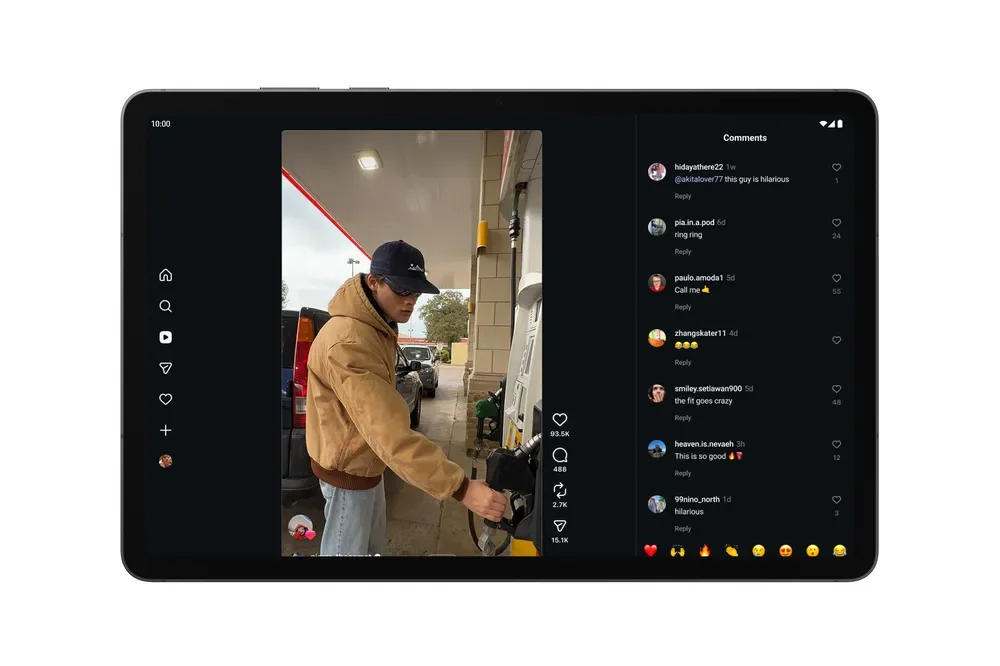
- Tablet Optimization: Instagram is now fully optimized for Android tablets, giving creators a much larger, high-resolution canvas to draft posts and respond to comments.
2. Instantly Polish Content with the Edits App
Exclusive to Android, the Instagram Edits app has received a major infusion of on-device AI tools. These upgrades allow creators to turn raw, unedited footage into professional-grade content in seconds:
- Smart Enhance: A single-tap feature powered by on-device AI that instantly upscales video resolution, balances exposure, and enhances sharpness.
- Sound Separation: A game-changing feature for run-and-gun creators. If background noise, wind, or unwanted chatter interrupts your audio, the Edits app can automatically isolate and separate different audio tracks, allowing you to boost your voice and completely mute background disturbances.
3. Screen Reactions: No Green Screen Required

Creating reaction videos previously required specialized editing software or cumbersome green-screen setups. Android 17 solves this with Screen Reactions. Available first on Google Pixel devices, this system-level tool lets you record your screen and capture your authentic facial reactions via the front-facing camera simultaneously. You can instantly overlay your reaction onto comment sections, product guides, or trending videos with a couple of taps.
4. Mobile Workstations: Adobe Premiere and APV
Android’s tablet and flagship ecosystem is evolving into a professional workstation. Google has announced that Adobe Premiere is coming to Android soon, featuring customized templates and optimized exports designed specifically for YouTube Shorts.
Additionally, Android 17 introduces Advanced Professional Video (APV). Developed in partnership with Samsung, APV is a highly storage-efficient, professional video format. Backed by dedicated hardware acceleration on the Snapdragon 8 Elite Gen 5, APV is launching on elite flagships like the Samsung Galaxy S26 Ultra and vivo X300 Ultra, allowing filmmakers to capture raw cinematic footage without exhausting device storage.